Active trainingNew request
Microsoft 365 Copilot – Practical workshop
- Client
- Northstar Digital Ltd
- Trainer
- Sanne de Vries
- Date
- 12 November 2026
- Group
- 8 participants
From the first training request to evaluations and certificates. Give planners, trainers and clients one smarter place to collaborate.
Illustrative demo · no live customer data
A calendar spreadsheet, enrolment lists in email and feedback in a separate tool can work at small scale. With more sessions, trainers and locations, keeping the information aligned becomes harder. Training involves several roles: from the original request and scheduling through communications, attendance, assessment and reporting. Handoffs are often where delays, missing information and repeated admin arise.
A calendar spreadsheet, enrolment lists in email and feedback in a separate tool can work at small scale. With more sessions, trainers and locations, keeping the information aligned becomes harder.
Start with one shared training record, clear responsibilities and agreed moments for updating information. Then identify recurring activities that could be supported or automated.
Follow a fictional training course from request to insight. Switch roles to see what each user needs at each step.
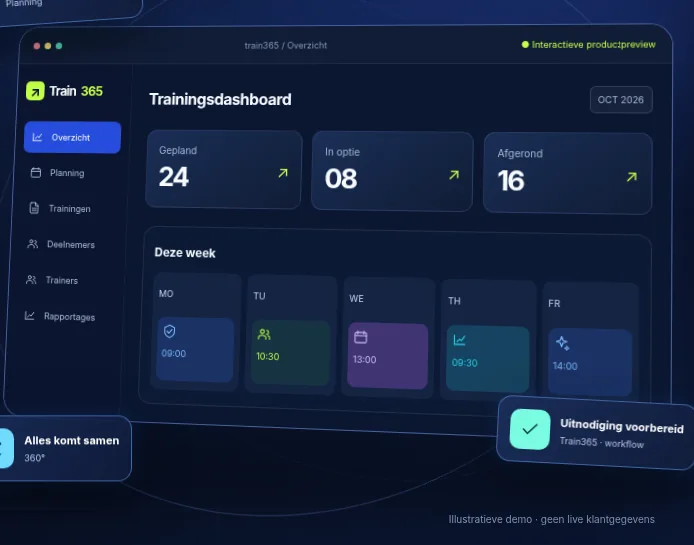
Review requests, available trainers and training statuses in one place
A client requests a Microsoft 365 workshop for eight employees.
Interactive simulation · fictional information only · no live customer data
Train365 brings people, sessions and information together with fewer handoffs.
Capture training needs and participants without scattered email threads.
For everyone who plans, delivers or oversees training: in-house learning teams, commercial providers and technology partners.
Manage courses, public enrolment, in-company sessions, trainers, participants and completion.
Track training needs, requests, learners, outcomes and team learning schedules.
Coordinate attendance, assessments, evaluations and certification workflows.
Use a dedicated portal for assignments, schedules, documents and attendance.
Access requests, participant information, results and progress in a dedicated portal.
Support multiple client organisations and brands in a multi-tenant environment.
Work in one shared overview instead of scattered spreadsheets, calendars and inboxes.
Intake, client records and follow-ups in one place.
Align trainers, preferred dates and locations.
Clear assignments and information for trainers.
Registrations, invitations and attendance in one view.
Assess knowledge and identify development needs.
Simplify follow-up and completion.
Track progress and outcomes across your organisation.
From internal academies and onboarding to safety courses and digital skills.
Compare possible administrative time savings with one-time setup and the core Train365 subscription.
| Plan | Setup | Monthly cost | 12-month ROI |
|---|---|---|---|
| Basic | — | — | — |
| Pro | — | — | — |
| Ultimate | — | — | — |
We will include your ROI assumptions so we can discuss how Train365 may fit your operations.
Illustrative scenario, not guaranteed savings. Excludes VAT, add-on modules, integrations, internal implementation time and other business costs. Not a quotation.
A coherent experience for Dutch-, English-, German-, French- and Spanish-speaking teams.
Let’s talkThese are previous Train365 demo visuals with fictional data. Production availability depends on validation.
Partner with Train365 to organise customer training and learning portals.
Become a partner →A calendar spreadsheet, enrolment lists in email and feedback in a separate tool can work at small scale. With more sessions, trainers and locations, keeping the information aligned becomes harder. Training involves several roles: from the original request and scheduling through communications, attendance, assessment and reporting. Handoffs are often where delays, missing information and repeated admin arise.
A calendar spreadsheet, enrolment lists in email and feedback in a separate tool can work at small scale. With more sessions, trainers and locations, keeping the information aligned becomes harder.
Start with one shared training record, clear responsibilities and agreed moments for updating information. Then identify recurring activities that could be supported or automated.
Show us your current workflow. We will listen and demonstrate relevant possibilities, without pressure.
Book a demo