

01
Planner portal
Work with requests, trainer options, training records, participants and CRM tasks.
Explore the related featurePlanners, trainers, clients and learners have different needs. Train365 brings their work together while respecting roles and access permissions.
Portals for trainers and clients is not a single button. Capabilities such as trainer portal, customer learning portal, groups, sessions & learners work best when information and responsibilities are shared. Training involves several roles: from the original request and scheduling through communications, attendance, assessment and reporting. Handoffs are often where delays, missing information and repeated admin arise.
Portals for trainers and clients is not a single button. Capabilities such as trainer portal, customer learning portal, groups, sessions & learners work best when information and responsibilities are shared.
Start with one shared training record, clear responsibilities and agreed moments for updating information. Then identify recurring activities that could be supported or automated.
Share information without duplicating schedules.
Work with requests, trainer options, training records, participants and CRM tasks.
Explore the related featureTrainers review assigned sessions, tentative or confirmed dates, documents and permitted attendance lists.
Explore the related featureCustomers access relevant training records, participants, evaluations and results with scoped permissions.
Explore the related featureCombine operational signals, assessments and reports for informed decisions.
Explore the related featurePlanners, trainers, clients and learners have different needs. Train365 brings their work together while respecting roles and access permissions.
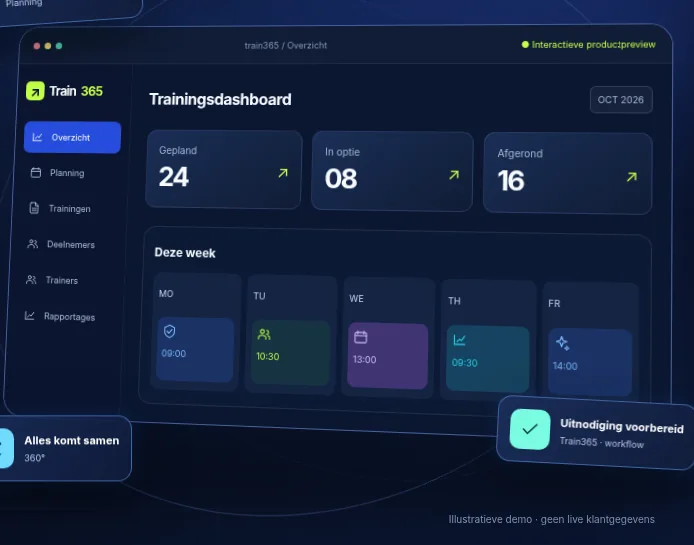
These portals are present in React source code; production readiness and full parity still require staging acceptance.
Start with the administrative task that takes the most time, then examine which Train365 capabilities fit your team.
Find repeated work and manual handovers.
Choose useful features and roles.
Measure actual time and process outcomes.
Feature and integration availability is subject to release acceptance; source release 0.6.2 is staging.
Arrange a conversation →Portals for trainers and clients is not a single button. Capabilities such as trainer portal, customer learning portal, groups, sessions & learners work best when information and responsibilities are shared. Training involves several roles: from the original request and scheduling through communications, attendance, assessment and reporting. Handoffs are often where delays, missing information and repeated admin arise.
Portals for trainers and clients is not a single button. Capabilities such as trainer portal, customer learning portal, groups, sessions & learners work best when information and responsibilities are shared.
Start with one shared training record, clear responsibilities and agreed moments for updating information. Then identify recurring activities that could be supported or automated.
Show us your current workflow. We will listen and demonstrate relevant possibilities, without pressure.
Book a demo